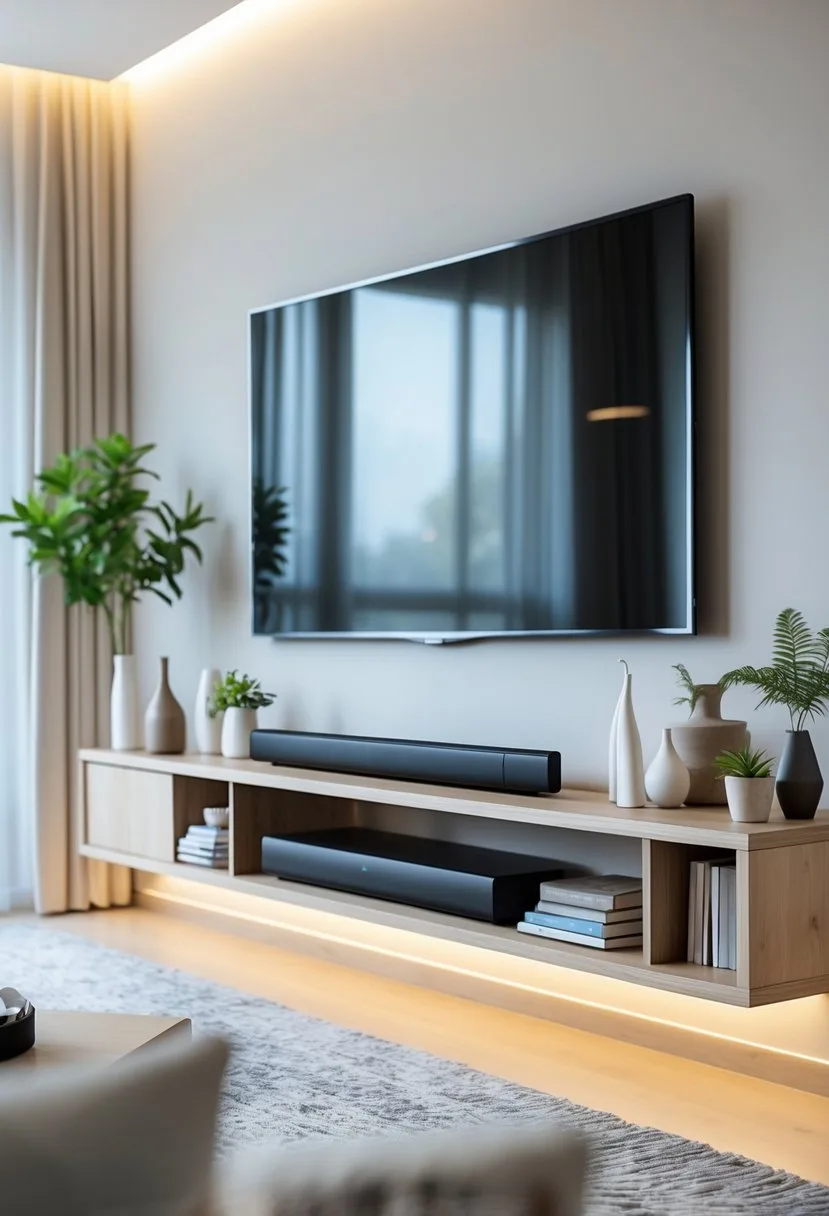
You want the space under your mounted TV to look intentional and work for you. I’ll show simple, practical options—like a low console for hidden storage, floating shelves for a clean look, or a compact cabinet that hides cables—so you can pick what fits your room and your gadgets. A well-chosen piece under a mounted TV balances the wall, stores gear, and hides wires without crowding the room.
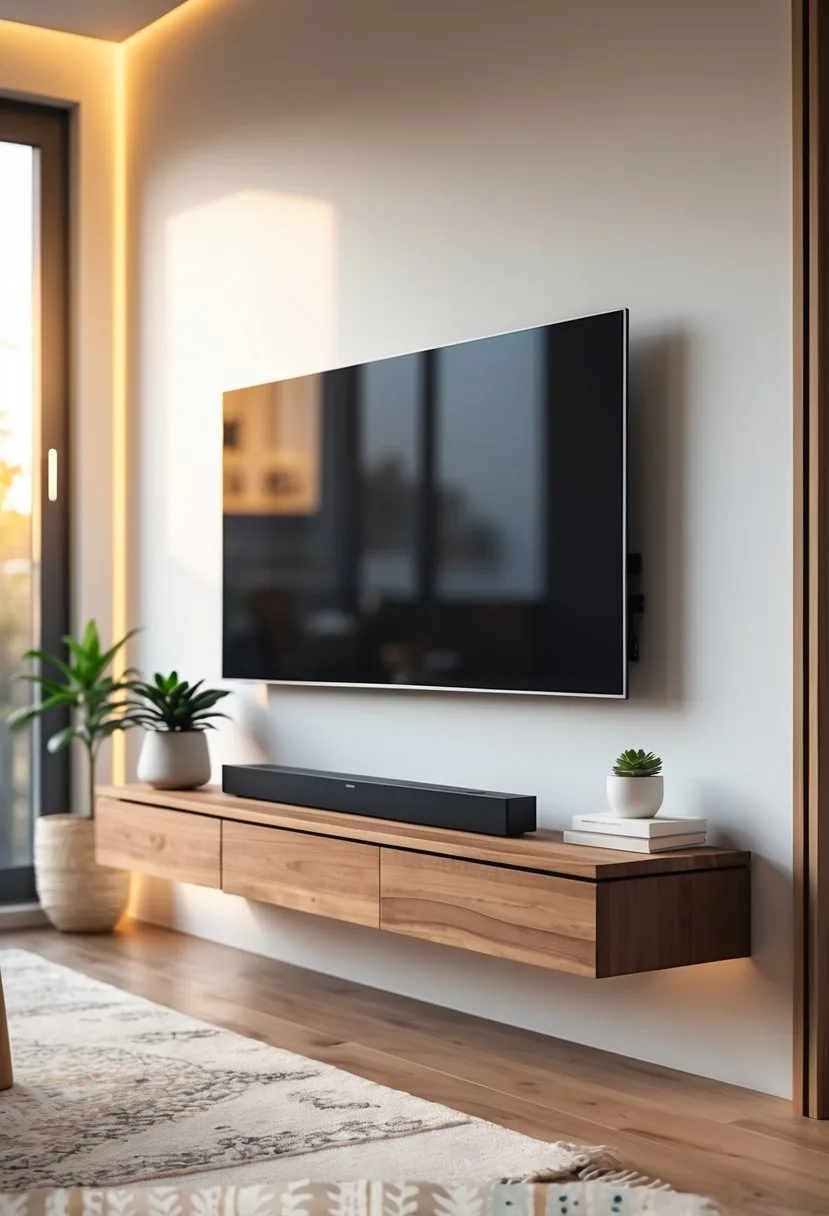
I’ll walk you through budget-friendly and stylish choices, plus quick tips to make tech blend in and keep the area tidy. Use the ideas that match your space and style to turn an awkward gap into a polished focal point.
Key Takeways
- Pick furniture that matches your storage needs and room scale.
- Use design tricks to hide cables and keep electronics neat.
- Choose space-saving options when floor area is limited.
Popular Ideas for What to Put Under a Mounted TV
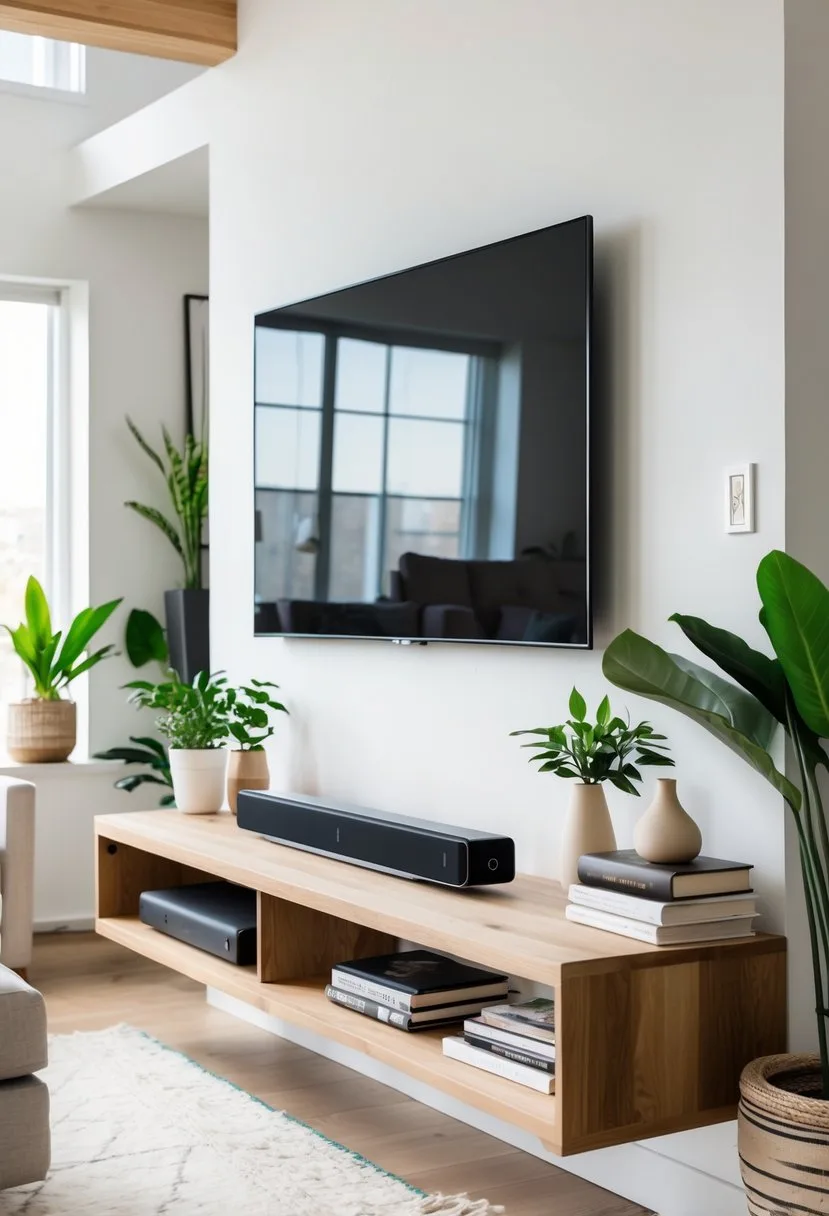
I focus on practical, stylish choices that add storage, hide cables, and match your room’s scale. Below I explain options that work for most living rooms and bedrooms, with notes on size, function, and installation.
Media Consoles
I recommend a media console when you need storage for electronics, games, and media. Choose a unit that is about two-thirds to three-quarters the width of the TV so it feels balanced. Look for built-in ventilation and cutouts for cables to keep equipment cool and hidden.
If you have a soundbar, pick a console with a shallow top shelf or a center gap so the bar sits flush with the TV. For living rooms that need concealed storage, I prefer consoles with doors and adjustable shelves — they hide remotes, disks, and streaming boxes while letting routers or consoles breathe. Use a power strip inside and label cords to make maintenance easy.
Floating Shelves
Floating shelves work well when you want a lighter look and quick access to devices. I mount one or two shelves directly under the TV; use the lower shelf for a cable box or streaming player and the upper one for decor like small plants or framed photos.
Install shelves on studs or with strong anchors to support electronics. Keep depth between 8–12 inches so items don’t overhang. I recommend using a cable raceway or adhesive clips behind the shelves to route cords neatly. For a cleaner visual, match shelf material or finish to a nearby piece of furniture.
Cabinets
I pick cabinets when hidden storage and a polished look matter most. A low cabinet with sliding or hinged doors gives a flush appearance and hides bulky items like game systems, board games, or a router. Choose soft-close hinges to prevent noise and damage.
If you need media-specific features, select cabinets with adjustable shelving, built-in ventilation, and pass-through cable holes. For small spaces, tall narrow cabinets at each side of the TV create vertical storage without crowding the floor. I sometimes add felt-lined drawers to protect remotes and fragile items.
Minimalist Solutions
I use minimalist options when space is tight or I want an uncluttered wall. A slim soundbar mount and a single narrow shelf can provide audio and one storage surface without a large footprint. Alternatively, leave the space empty for a floating-gallery look and rely on hidden storage elsewhere.
For cable management, I hide wires in-wall or use a low-profile raceway painted to match the wall. If you choose no furniture, ensure that any wall outlets and HDMI connections sit at a convenient height. I advise measuring TV height so the empty space feels intentional and not neglected.
Functional Storage Solutions
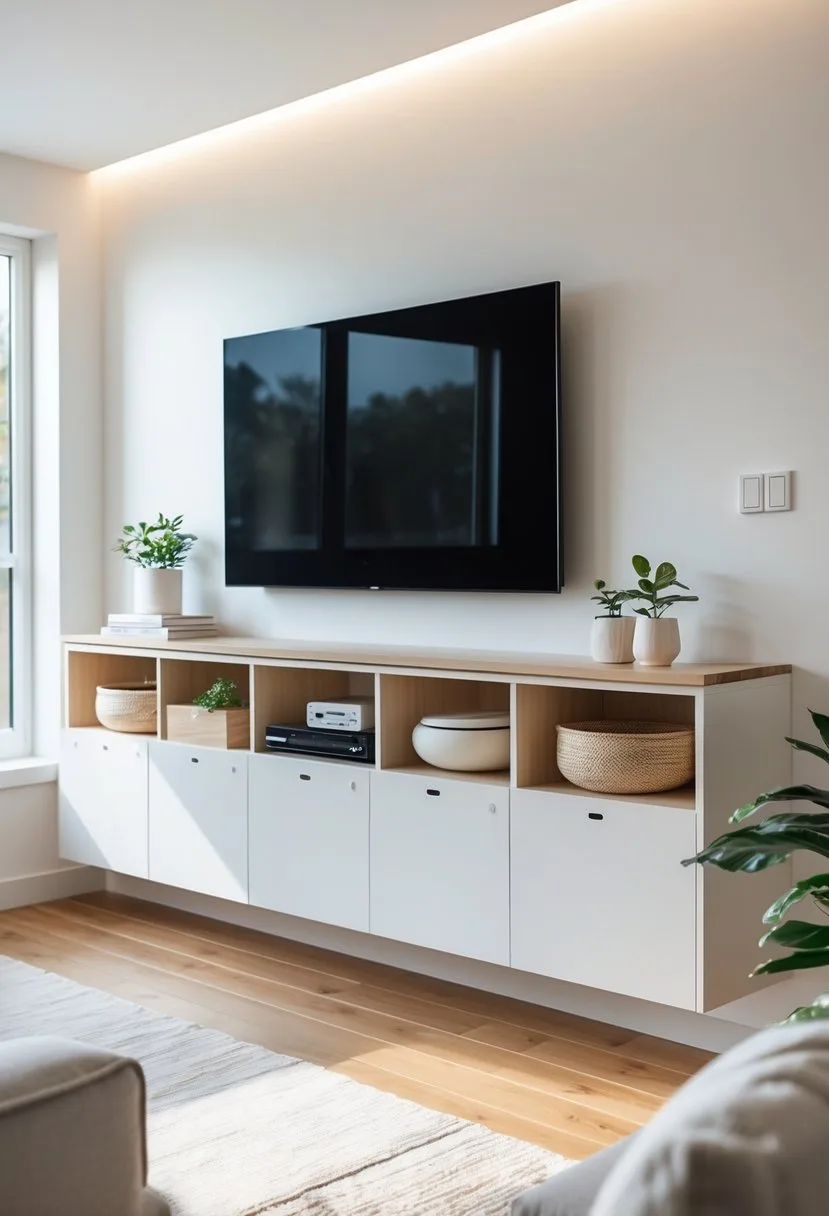
I focus on storage that keeps the TV wall tidy, protects gear, and matches the room style. Below are specific options that balance access, cable management, and looks.
Closed Cabinets
I recommend closed cabinets when you need hidden storage and a clean wall line. Choose units with back cutouts or built-in grommets so game consoles, receivers, and cable boxes get airflow and neat cable routing. A cabinet depth of 16–20 inches fits most AV gear and still keeps remote range intact.
Pick doors with soft-close hinges to avoid noise and wear. For tall components, leave at least 4–6 inches above and below the device for ventilation. If you want a custom look, I mount the cabinet to studs and run a power outlet and HDMI wall plate behind it to avoid visible cords.
Materials matter: MDF with a painted finish looks modern, while veneered plywood resists warping. Use adjustable shelving inside so I can fit new gear later.
Open Shelving
I use open shelving when quick access and display matter more than hiding equipment. Floating shelves or a low ledge work well for streaming boxes, soundbars, and decor. Keep shelf depth to 10–14 inches for compact devices and to avoid appearing bulky.
Organize items with cable clips and a small power strip mounted under the shelf to prevent tangles. Place active devices on the middle shelf for optimum infrared and ventilation. Add baskets or decorative boxes on lower shelves to hide controllers and remotes while keeping the top shelves visually light.
If my room gets dusty, I choose metal or sealed wood finishes that clean easily. Staggering shelf heights makes room for taller items like record players or center speakers.
Drawers for Electronics
I pick drawers when I want hidden, pull-out access for media components and accessories. Deep drawers (18–22 inches) fit controllers, remotes, and smaller consoles. For larger electronics, use a sliding shelf inside the drawer with ventilation slots and a rear cable pass-through.
Install cushioned drawer slides to handle weight and reduce noise. I avoid fully enclosed, airtight drawers for running gear; instead, I add vented panels or leave the back open for heat escape. Label drawer fronts or use translucent organizers inside so I can find cables and adapters fast.
For serious AV setups, I mount a shallow rack behind a drawer front so I access rack-mounted gear without exposing it when not in use.
Decorative Enhancements
I choose pieces that add interest without fighting the TV for attention. Small collections, balanced shapes, and controlled light make the area feel intentional and calm.
Artwork and Frames
I hang one large piece or a small gallery to balance the screen’s visual weight. A single wide print centered under the TV keeps lines clean; use a frame color that matches the TV bezel or media console for cohesion.
If I use multiple frames, I keep mats the same size and spacing even to avoid visual clutter. Leaning a framed photo on a shelf creates a relaxed look and lets me swap images seasonally.
For heat safety, I leave at least 4–6 inches between the TV and any frame edges or canvas. I avoid heavy sculptures directly beneath a mounted TV to reduce risk during wall vibration or accidental bumps.
Plants and Greenery
I place low-profile plants under the TV for texture without blocking the screen. Succulents, snake plants, or a small fiddle leaf fig in a narrow pot work well on a console or floating shelf.
I use varying heights: a short tray of succulents, a medium pot on the left, and a taller plant on the right to create a pleasing triangle. This guides the eye away from the screen gently.
I pick low-light or low-maintenance species if the TV wall lacks strong natural light. I also use waterproof trays to protect furniture from spills and keep foliage at least a few inches from vents.
Accent Lighting
I install soft, indirect lighting to reduce eye strain and add depth. LED strip lights behind the TV provide a halo effect that improves contrast and is easy to dim.
I also use a small table lamp or puck lights on the console to highlight décor without competing with the screen. I choose warm color temperatures (2700–3000K) to keep the space cozy during evening viewing.
I wire lights through cable channels or use battery-powered fixtures to avoid visible cords. I control brightness with a dimmer or remote so I can adjust light levels quickly for movies, games, or casual TV time.
Space-Saving and Compact Options
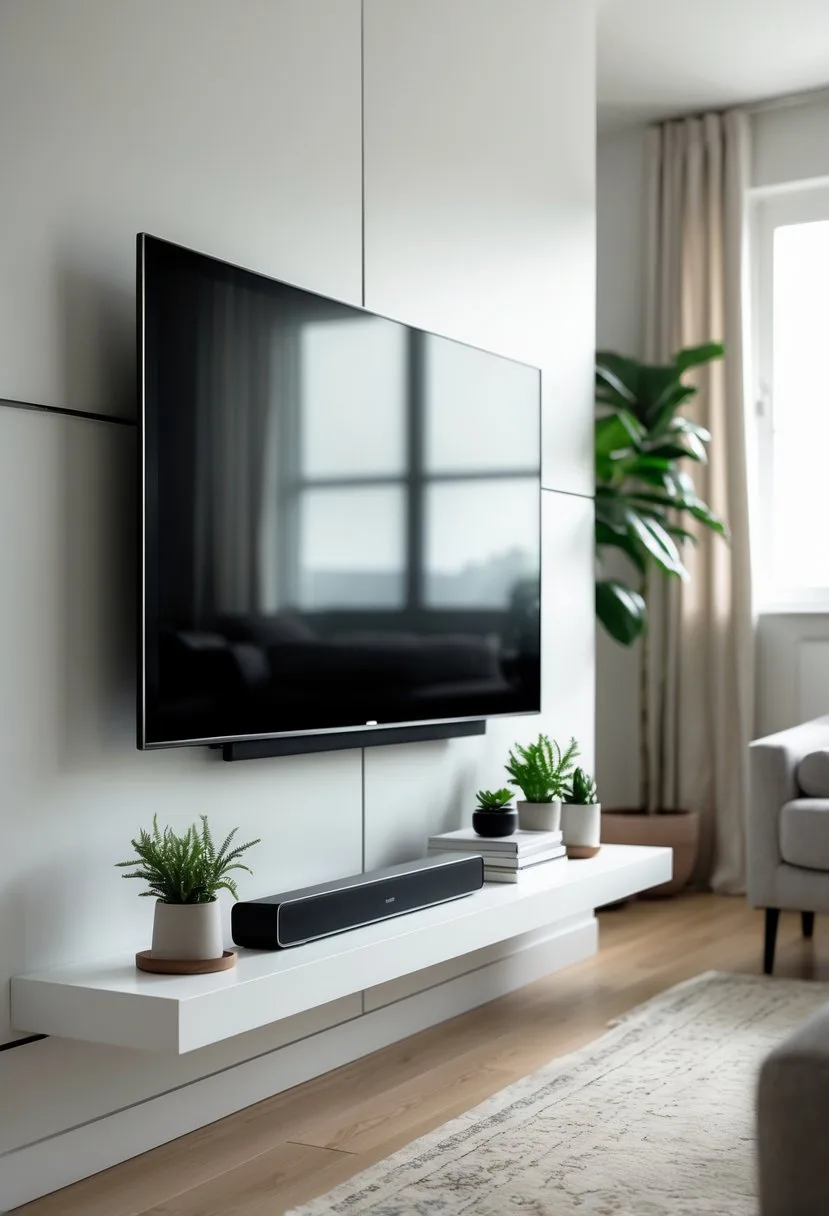
I focus on solutions that keep the floor clear, hide cables, and add storage without crowding the room. Choose pieces that match your TV size, cable needs, and how much visible storage you want.
Wall-Mounted Racks
I prefer wall-mounted racks when floor space is tight. They attach directly under the TV and leave the floor free, which helps small rooms feel larger. Pick a rack rated for the weight of your devices and use anchors or studs for a secure mount.
Use racks with built-in cable channels or add a slim cable raceway to hide power and HDMI cords. Look for shelves with ventilation if you store a streaming box, game console, or receiver to prevent overheating. Open shelves give easy remote access; a shallow cabinet with a drop-front door keeps devices out of sight while still allowing IR or Bluetooth signals if the door has a clear panel.
Install the rack about 8–12 inches below the TV for comfortable viewing and to avoid neck strain. I also recommend measuring the TV width and centering the rack to keep the wall balanced.
Slimline Benches
A slimline bench under a mounted TV offers a low-profile surface and concealed storage. Choose a bench no deeper than 14–16 inches in narrow rooms to keep walkways clear. Benches with drawers or hidden compartments hold remotes, manuals, and small accessories.
I choose benches with cutouts or back panels for cable access so devices can sit inside without messy wires. If you want a softer look, pick a padded bench with a lift-top storage compartment; it hides clutter while serving as extra seating. For a modern look, go with a floating slimline bench that mounts to the wall—this keeps the floor visible for cleaning and gives a lighter visual weight.
Match the bench height to the bottom edge of the TV or sit slightly lower (2–4 inches) for a streamlined profile. Durable finishes like laminate or sealed wood handle frequent use and are easy to clean.
Tips for Integrating Technology Seamlessly
I focus on clean power access and neat cable routing so the area under the TV looks tidy and works well. Practical steps include hiding cords, placing outlets where devices sit, and using the right mounts and shelves.
Cable Management
I route all video, audio, and power cables inside the wall when possible, following local electrical code. For retrofit jobs I use a paintable cord raceway or a slim channel behind a floating shelf. I label both ends of each cable so I can swap or replace devices quickly.
I keep signal cables (HDMI, optical) separate from power to reduce interference. I choose high-quality, short HDMI cables to avoid excess slack and use right-angle connectors for tight spaces. Velcro straps let me bundle cables without crushing them.
If I can’t hide cords fully, I place a low-profile media console to conceal power bricks and a surge protector. I leave a small access gap for ventilation and to unplug devices without removing the TV.
Hidden Power Outlets
I install an outlet and an in-wall power kit directly behind the TV at the mounting height to remove visible power cords. I also add a second outlet lower on the wall or inside a cabinet for receivers, game consoles, and streaming devices.
I use a recessed outlet or power bridge for a flush fit that keeps plugs from sticking out. For built-in shelves, I put outlets on the shelf undersides so devices sit neatly without visible cords.
I always turn off the circuit and confirm wiring with a tester before I cut drywall. If I’m not comfortable with electrical work, I hire a licensed electrician to install code-compliant outlets and in-wall power solutions.
Frequently Asked Questions
I list practical options for furniture, shelving, decor, plants, and corner layouts that fit common room sizes and tech needs. I focus on choices that give storage, hide cables, or keep the look minimal depending on function and style.
What furniture options work best under a wall-mounted TV in the living room?
A low media console with closed cabinets hides game consoles, receivers, and cables while keeping the TV center stage. I recommend a unit a few inches wider than the TV for balance—measure TV width and pick a console 4–12 inches wider on each side.
If you want extra height, a narrow console table can hold a soundbar and decor without crowding the view. For storage-first setups, choose a console with adjustable shelving or deep drawers to fit remotes, DVDs, and routers.
Are floating shelves a good idea for under a wall-mounted TV?
Yes. Floating shelves keep the floor clear and let you center a soundbar or display small decor without blocking the screen. I prefer mounting a single wide shelf at the same depth as the TV’s bottom edge to keep proportions clean.
Use multiple staggered shelves only if you plan to keep them lightly styled. Heavy items or many electronics need reinforced brackets or a media console instead.
What are the best practices for decorating the space under a TV in the bedroom?
Keep things minimal to avoid visual clutter and to maintain a restful feel. I suggest one low-profile dresser or a slim console that doubles as storage for clothes or chargers.
Add soft lighting like a small table lamp or LED strip behind the TV to reduce eye strain. Keep decor small—one framed photo, a small plant, and a tray for personal items works well.
How can plants be incorporated into the design under a mounted TV?
Choose low-to-medium height plants that won’t block the screen, such as snake plants, pothos, or ZZ plants. I place one larger plant on one side of the console and a small pot on the opposite side for balance.
Use sturdy pots with saucers to protect furniture from water damage. If light is low, pick shade-tolerant species or use grow-light fixtures.
What are some corner-specific solutions for under a wall-mounted TV?
For corner TVs, a triangular corner console fits snugly and provides storage without wasting space. I also use floating corner shelves to display decor while keeping the floor area open.
If the corner is tight, a slim vertical cabinet can store electronics and remotes without extending far into the room. Measure the corner depth before buying to ensure the console clears walkways.
Is it necessary to have furniture under a mounted TV, and if not, what are the alternatives?
No, furniture is not required. I sometimes leave the area empty and use the open space for a floor pouf or a small rug to keep the look airy.
Alternatives include a single wall shelf for a soundbar, a gallery wall around the TV, or a low bench that doubles as seating and storage. Each option should account for cable management and easy access to devices.